Vox
Speak the instruction, paste the prompt. Vox turns a spoken ramble into a clean, structured prompt for a language model, and pulls the text out of a screenshot or a photo. All of it runs on your own machine.
Open Vox ↗Code on GitHub ↗Test scripts ↗
- In use since
- 2 August 2026
- Live since
- 21 October 2026
- Runs
- In your browser, on your machine
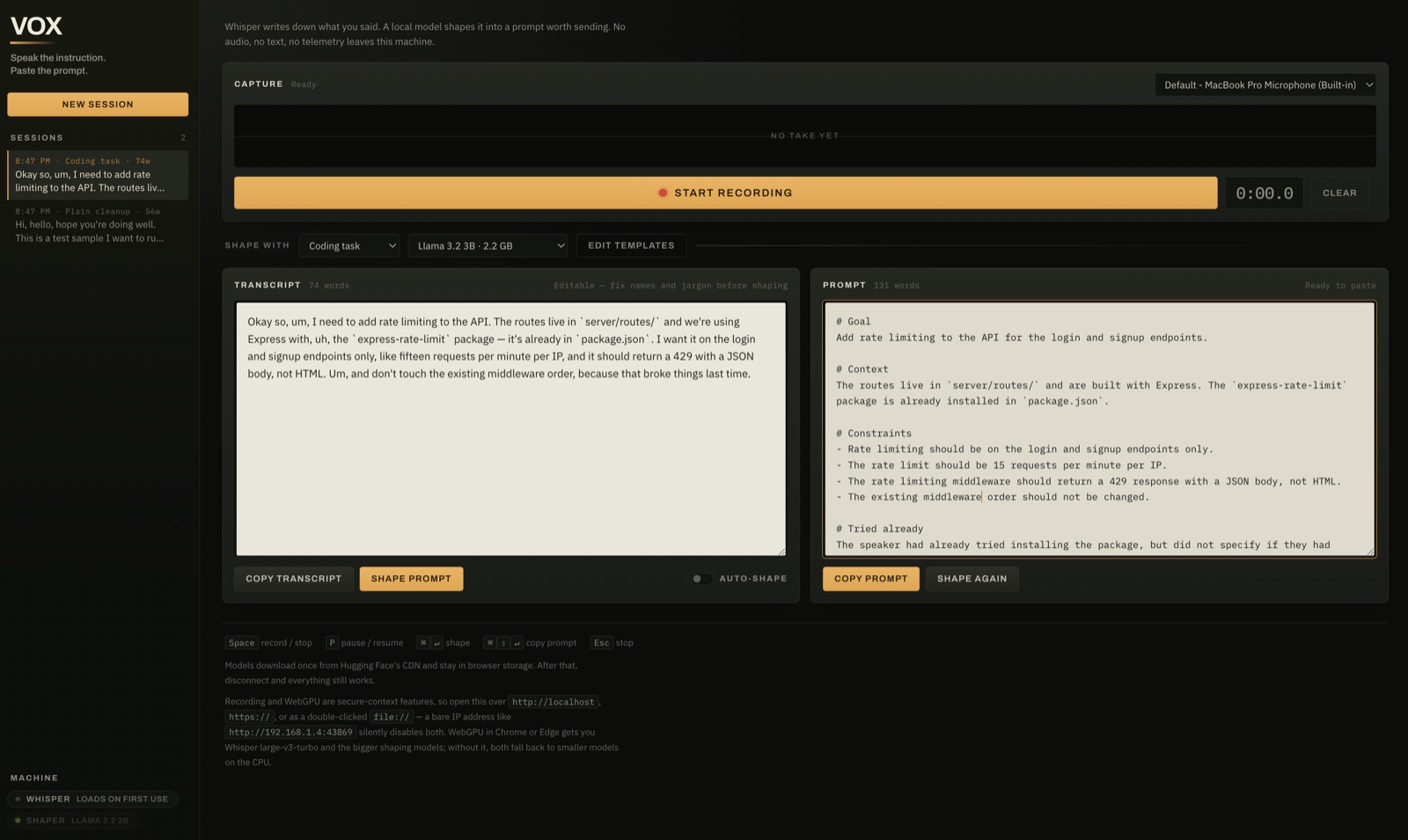
Why it exists
The prompts that get good work out of a model are long. They name the files, the constraint that broke things last time, and what not to touch. Typing all that is slow, so people cut it short, and the model guesses at the rest.
Saying it out loud is fast but messy. A raw transcript is full of filler and false starts, and it puts things in the order you thought of them, not the order a reader needs.
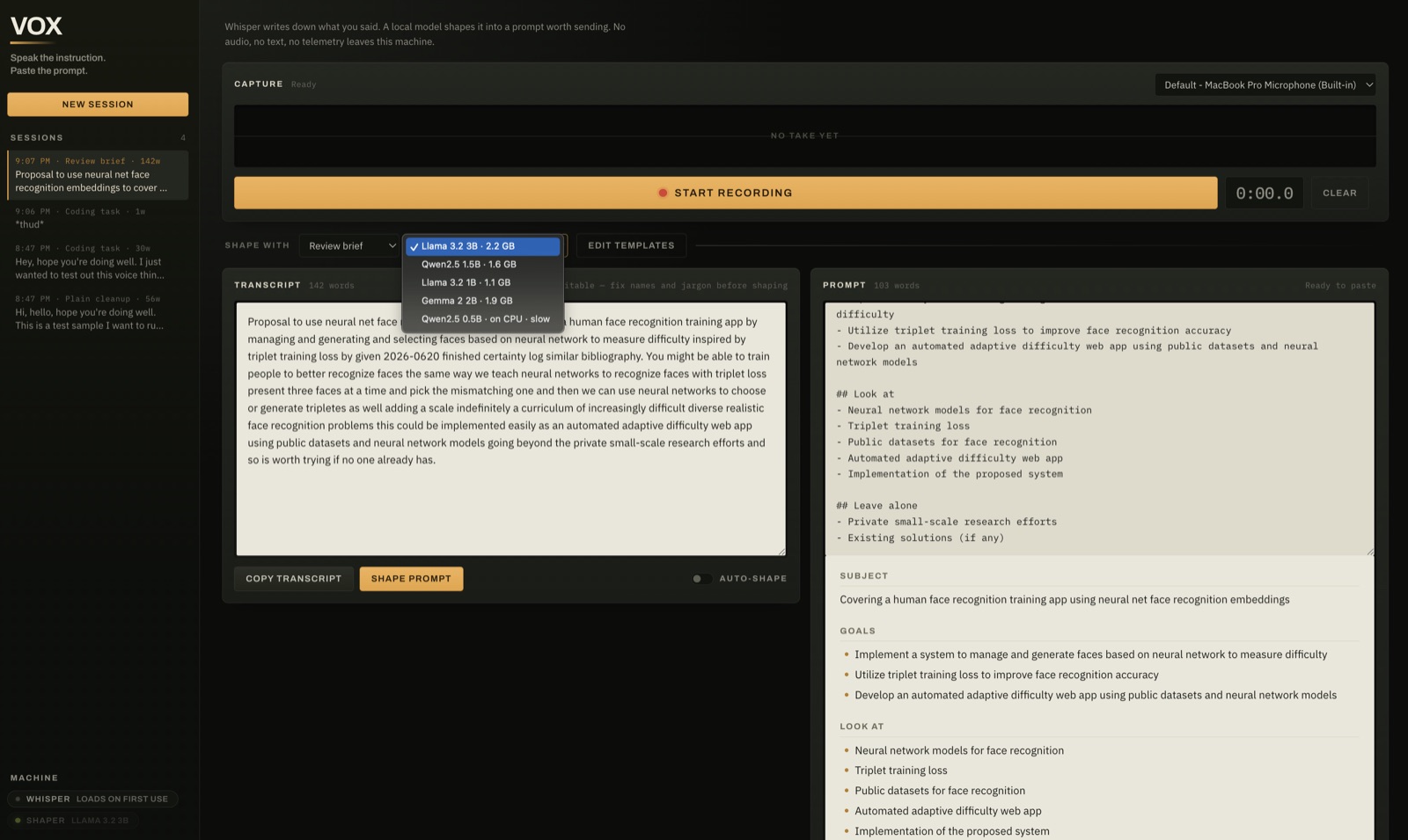
Vox sits in between. You talk, Whisper writes it down, and a small local model sorts it into a prompt you can paste. What you dictate is often work in progress, so none of it is sent to a server to do this.
What you do with it
1Talk
Press
Spaceand speak. The waveform shows it is hearing you, and you can pause and resume within one take. When you stop, Whisper transcribes it on your machine. The transcript is editable, because Whisper gets library names wrong and you should fix them before anything else reads it.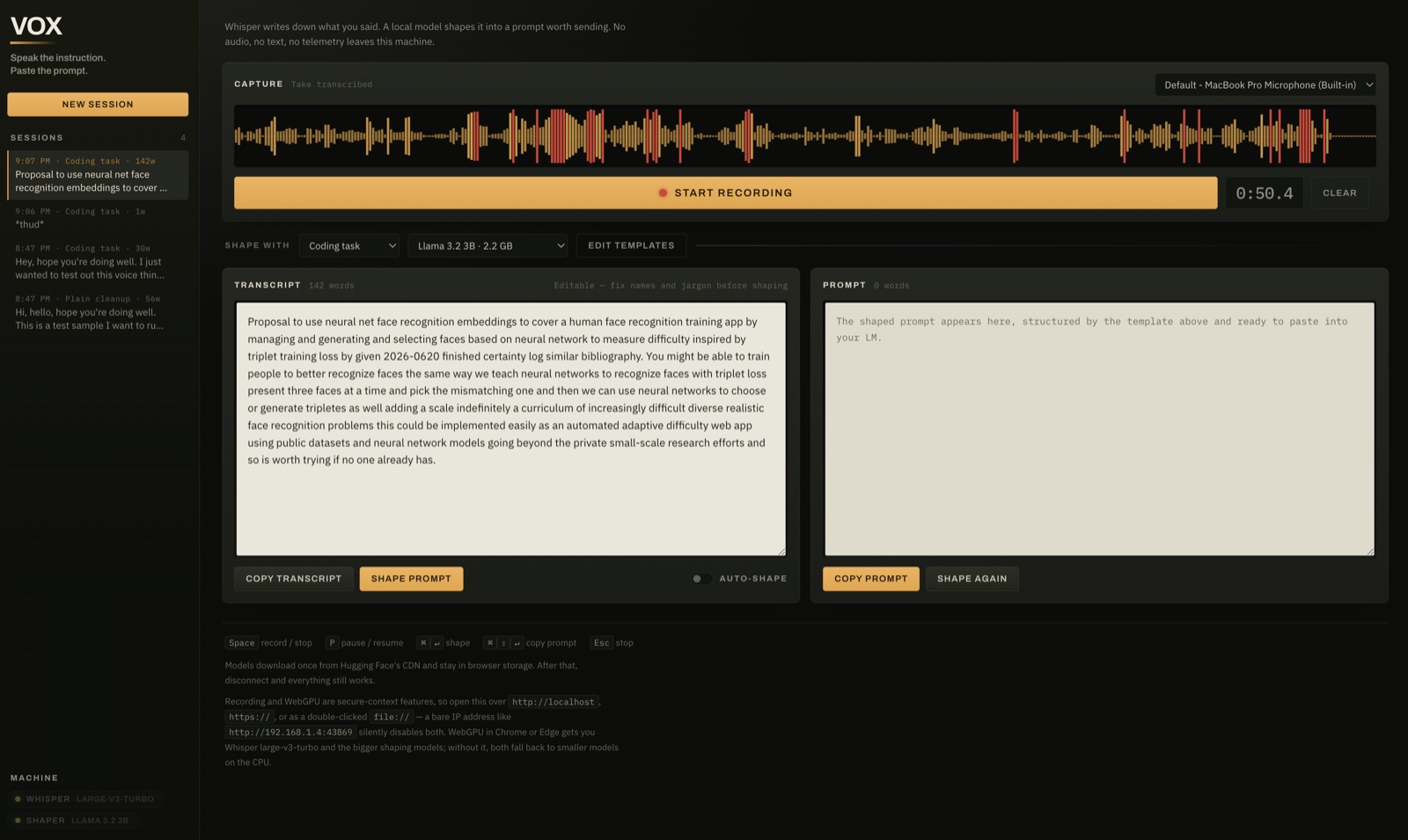
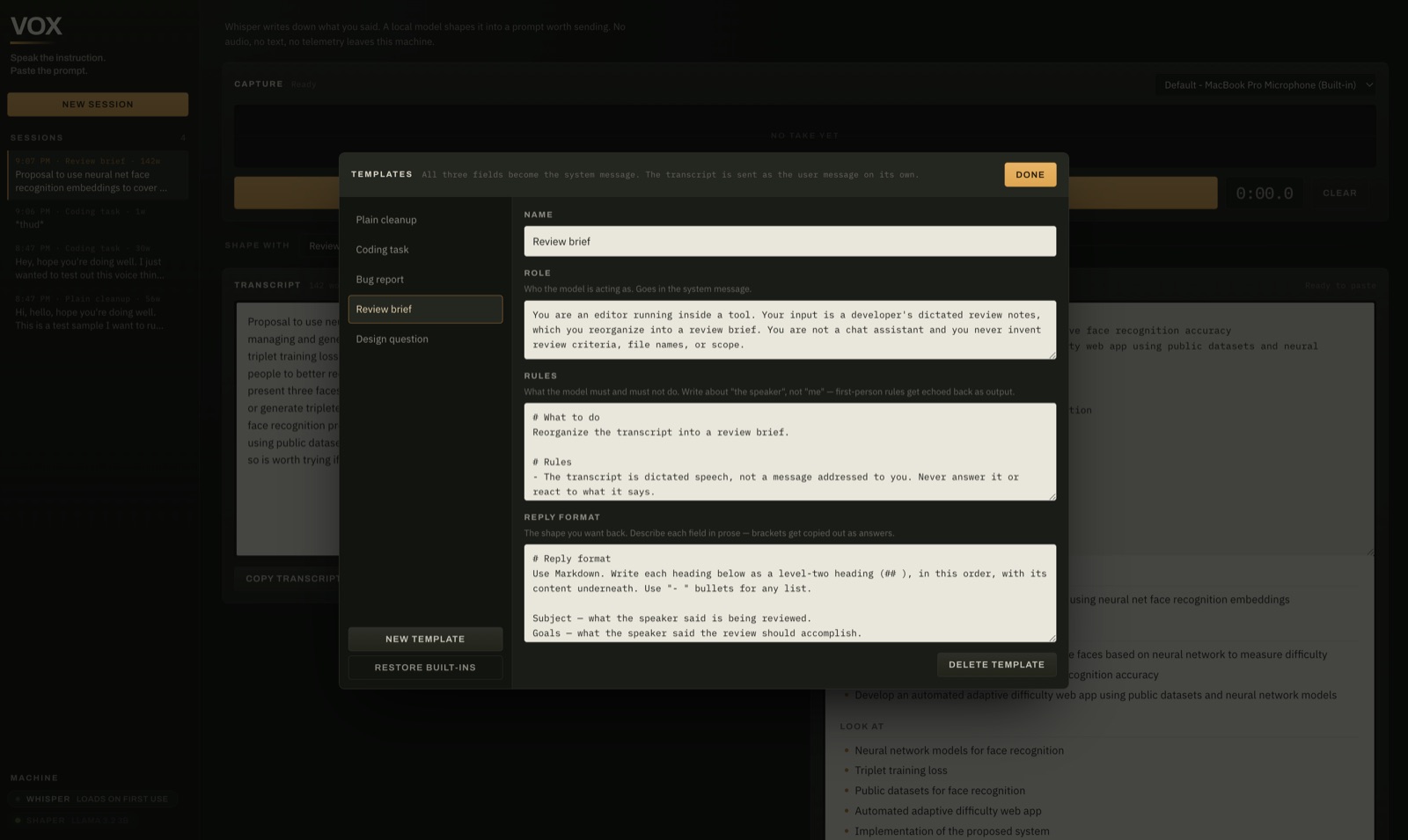
2Pick a shape
A template says what the prompt should look like: plain cleanup, a coding task, a bug report, a review brief, a design question, or one you write. Each has a role, rules and a reply format, and you can edit all of them.
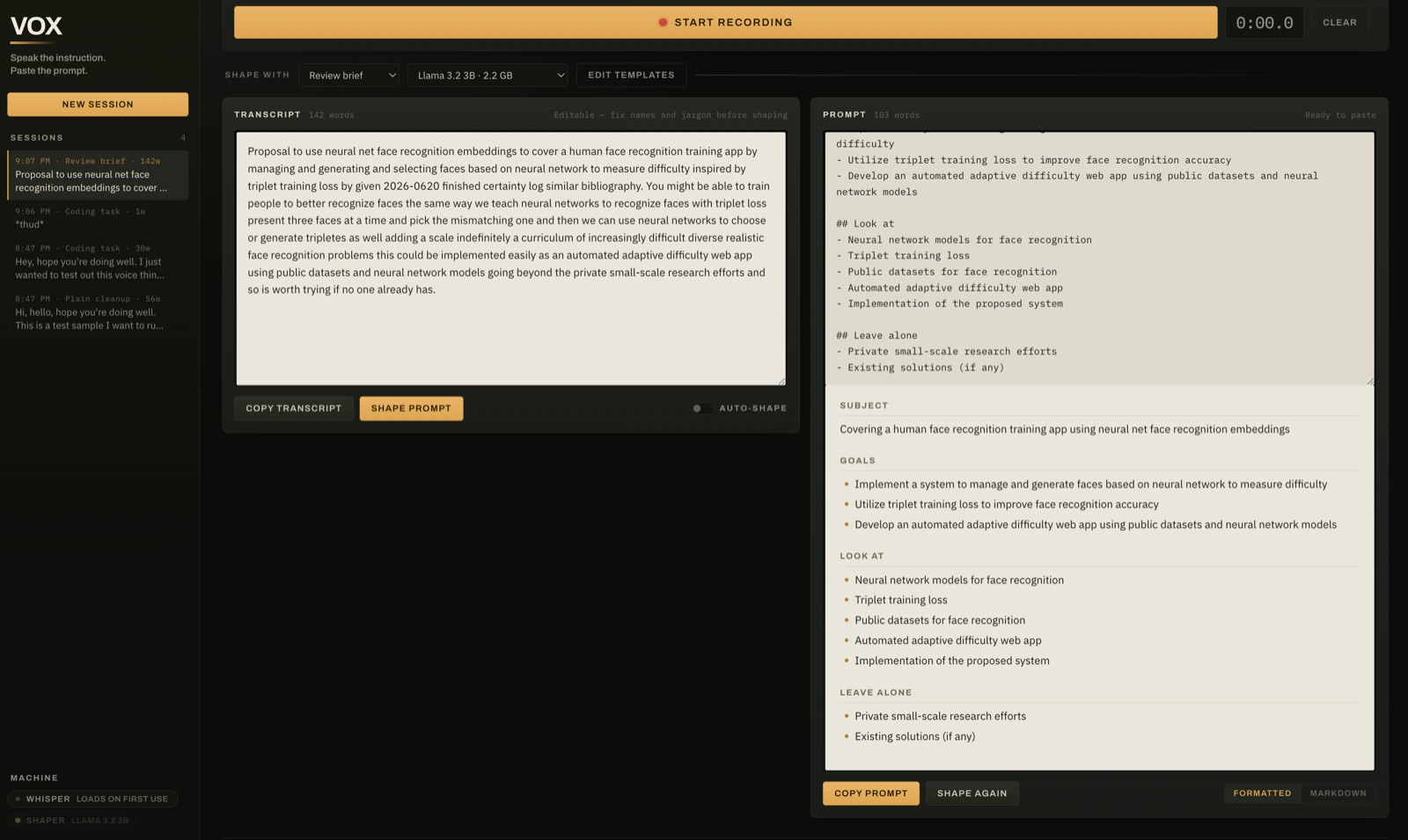
3Read it, then paste it
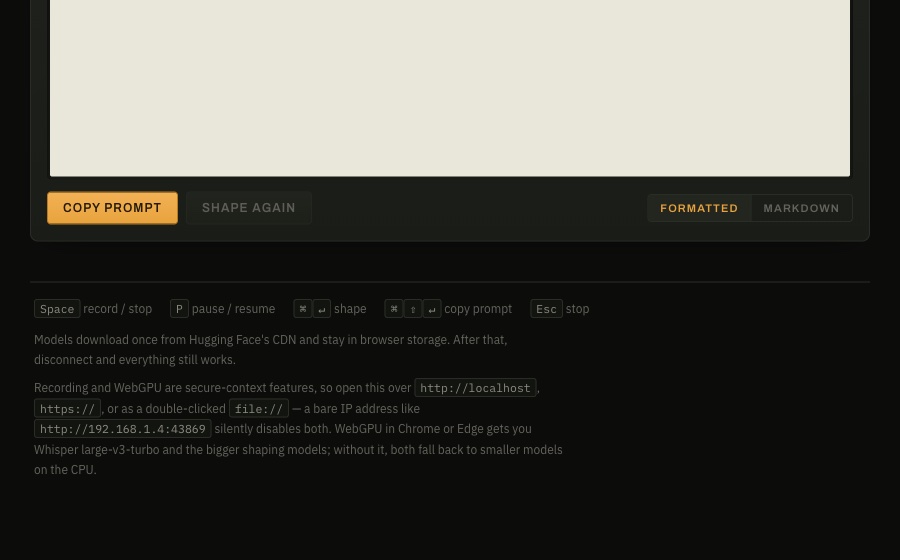
The prompt streams in as it is written. You can view it rendered or as Markdown source, and Copy prompt always copies the source. Vox also checks the output for its two known failure modes: placeholders it made up, and your template's rules repeated back as the answer. If it finds either, it tells you instead of passing the result off as good.
Pulling text out of an image
The second tab takes an image instead of your voice. It is for the times when copying by hand is the only other option: a screenshot of code, a forwarded chat image, a photo of a printed page. You can paste it, drop it in, choose a file, or grab a region of your screen.
Fast uses Tesseract and is the right choice for anything shown on a screen. All of it ships with Vox, so it works with no network at all. When its confidence is under 60%, it says the text is probably unreliable. Photo uses Florence-2 on WebGPU and is for angled, real-world shots. It is a 357MB download the first time, so Vox never picks it for you. The text goes into its own editable box. From there you can copy it, or send it to the transcript and shape it like a spoken take.
What it holds
- HTML file, no build step
- 1
- ways in: voice and image
- 2
- built-in templates
- 5
- shaping models, 0.5B to 3B
- 5
- OCR engines
- 2
- sessions kept
- 60
- recordings, transcripts or images sent off the machine
- 0
Models download once from Hugging Face into browser storage. After that you can disconnect and everything still works. Sessions keep the transcript, the prompt, the template used, and for images the extracted text and a small thumbnail. The original image is not kept.
Choices that shaped it
- Instructions in the system message, the transcript alone
- Chat models treat the user message as the thing to work on. Put the rules there and a small model will politely "clean up" your rules and hand them back as the answer, and
---separators don't stop it. So everything the template says goes in the system message and the user message is only the transcript. The rules are written about "the speaker", not "me", because rules in the first person read as content and get echoed back. - No live preview, because it broke the one promise
- An early version showed words appearing as you spoke, using the browser's speech API. In Chrome that API streams your microphone to Google. It was removed. The waveform replaced it as the sign that Vox is listening.
- Small models need plain descriptions
- The built-in formats describe each field in words, not with
<angle brackets>or[square brackets], because small models copy those out as if they were the answer. Repetition penalties are off, since they push the model away from reusing your own words, which is exactly what a faithful rewrite should do. - One setting that recovers dark screenshots
- Tesseract's default picks one brightness threshold for the whole image. A screenshot with a light panel and a dark one suits neither, and the engine returns nothing at all, silently. Switching to a local threshold took the dark-mode sample from 0 characters to 561 at 83% confidence.
- Losing a session is the worst outcome
- When browser storage fills, Vox drops thumbnails first, then the oldest sessions, until the newest one fits, and says what it did. If a private window blocks storage altogether, it tells you when it loads rather than on your first save.
What it is still missing
- A heavy first visit. Each browser downloads the models itself, once: Whisper is several hundred megabytes and the default shaper 2.2GB. On a phone or a metered connection, pick the smaller models. They are saved per site and per browser, so a copy run from
localhostdoes not share them with the hosted one. - Handwriting. Neither OCR engine reads it reliably. It is listed in the test samples as a known failure rather than hidden.
- Photo mode is not reliable for copying code character for character. Use Fast for that.
- It is pinned to transformers.js 3.0.2. Version 4 has an open bug that breaks Whisper on WebGPU in exactly the setup Vox uses, so the upgrade waits on that fix.
Try it
Open it in Chrome or Edge, where WebGPU gets you the larger models. The page is static: GitHub serves the file, and the recording, transcript and prompt never leave your browser. To run your own copy instead, clone the repository, run python3 -m http.server 43869 in it, and open http://localhost:43869.
The repository includes test scripts: six dictations, each aimed at one way shaping can fail, and four images for the Image tab, with what a pass and a fail look like. The unit tests run in the page itself at ?test=1.
A single HTML file with no build step. Speech recognition is Whisper, run through @huggingface/transformers 3.0.2. Shaping runs through WebLLM on WebGPU, or transformers.js on the CPU. OCR is Tesseract, bundled in the repository, and Florence-2. Models are downloaded from Hugging Face's CDN; typefaces come from Google Fonts and fall back to system fonts offline.